Canvas and WebGL Fingerprinting Evolution: From Noise to Real Hardware Profiles
Ready to protect your online identity?
Choose your plan and start running undetectable browser profiles today.
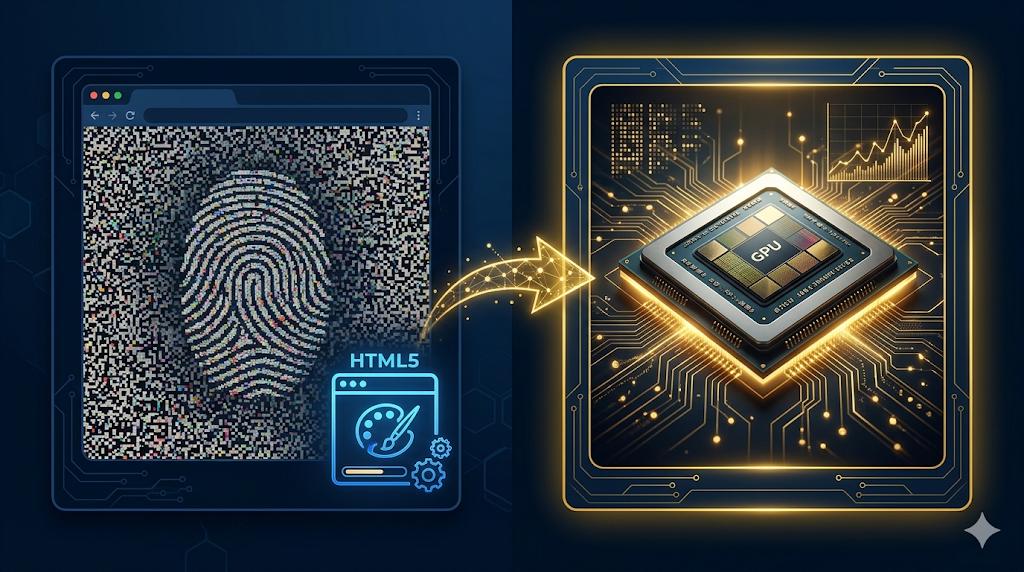
Canvas and WebGL fingerprinting started as a clever observation: different hardware and software combinations render the same drawing instructions differently. A decade later, that observation has evolved into one of the most reliable browser tracking mechanisms in existence — and the countermeasures have gone through several complete generational shifts. Understanding this evolution is essential for anyone operating anti-detect infrastructure in 2026.
The Original Canvas Fingerprint
The canvas fingerprint emerged around 2012. The technique is deceptively simple: draw something to an HTML5 <canvas> element — text, gradients, geometric shapes — then call canvas.toDataURL() to extract the pixel data as a base64 string, and hash it.
function getCanvasFingerprint() {
  const canvas = document.createElement('canvas');
  const ctx = canvas.getContext('2d');

  ctx.textBaseline = 'top';
  ctx.font = '14px Arial';
  ctx.fillStyle = '#f60';
  ctx.fillRect(125, 1, 62, 20);
  ctx.fillStyle = '#069';
  ctx.fillText('Browser fingerprint', 2, 15);
  ctx.fillStyle = 'rgba(102, 204, 0, 0.7)';
  ctx.fillText('Browser fingerprint', 4, 17);

  return canvas.toDataURL();
}
The reason different browsers and hardware produce different outputs involves a surprisingly deep stack: GPU drivers apply different sub-pixel rendering, anti-aliasing algorithms differ between implementations, text layout engines produce different kerning, and even floating-point rounding in the compositing pipeline introduces tiny variations.
These variations are microscopic — invisible to the human eye — but they produce dramatically different hash values. A canvas fingerprint reliably distinguishes:
- Chrome on Windows 11 from Chrome on macOS
- The same browser version across different GPU vendors (Intel vs NVIDIA vs AMD)
- Headless Chrome from regular Chrome
- Virtual machines from physical hardware
By 2014, major advertising networks were using canvas fingerprints as a stable cross-browser tracking signal. By 2016, ad fraud detection companies like DoubleVerify and HUMAN Security (formerly WhiteOps) were using it to identify bot traffic.
The First Wave of Countermeasures: Noise Injection
The anti-detect community’s initial response was noise injection — adding tiny random perturbations to the canvas output on each render. The idea: if the canvas always produces a different value, it cannot be used as a stable identifier.
// Early noise injection approach
const originalToDataURL = HTMLCanvasElement.prototype.toDataURL;
HTMLCanvasElement.prototype.toDataURL = function() {
  const ctx = this.getContext('2d');
  const imageData = ctx.getImageData(0, 0, this.width, this.height);

  // Add tiny random noise to a few pixels
  for (let i = 0; i < 10; i++) {
    const idx = Math.floor(Math.random() * imageData.data.length / 4) * 4;
    imageData.data[idx] = (imageData.data[idx] + Math.floor(Math.random() * 3)) % 256;
  }

  ctx.putImageData(imageData, 0, 0);
  return originalToDataURL.apply(this, arguments);
};
This approach worked for approximately two years before anti-fraud systems caught up. The problem was fundamental: noise injection is itself a fingerprint.
Why Noise Became a Detection Signal
Detection engineers at major platforms discovered several properties of noise-injected canvas outputs that made them trivially identifiable:
Statistical anomaly detection. A genuine canvas render from hardware produces consistent sub-pixel patterns that correlate with the rendering algorithm. Random noise breaks these patterns in statistically detectable ways. Feed a thousand canvas outputs from the same browser through a frequency analysis, and genuine renders cluster tightly while noise-injected outputs form a dispersed, random distribution.
Noise amplitude signatures. Anti-detect implementations typically used noise within a certain range (e.g., ±1 to ±3 on each pixel channel). The magnitude and distribution of the noise became a fingerprint for the specific anti-detect tool. Fingerprint Farm, the dataset used by many anti-fraud vendors, contains noise signatures for every major anti-detect browser.
Cross-API inconsistency. Noise injection that modified toDataURL() didn’t always modify getImageData(), or modified them differently. Detection scripts could compare the two outputs. If they differed in ways that indicated post-processing, the browser was flagged as anti-detect.
Temporal instability. Real browser renders are deterministic for the same input on the same hardware. If you call toDataURL() twice on the same canvas with the same content, you get the same result. Noise injection broke this determinism. Detection scripts began testing canvas determinism explicitly.
By 2020, the anti-fraud community had essentially solved noise injection. A canvas output with injected noise was more suspicious than one that matched a known-bad fingerprint.
The Second Wave: Hash-Consistent Spoofing
The response from anti-detect developers was more sophisticated: instead of randomizing the output, spoof the rendering to produce a specific, consistent output that matches a known real hardware fingerprint.
// Conceptual approach: replace render with known-good hash target
// Real implementation requires native browser modification
const targetHash = 'a8f3c2...'; // hash from real Chrome on RTX 4070
This approach had a serious problem: the target hash is only valid for a specific hardware+driver+OS+browser version combination. Claim to be Chrome 120 on Windows 11 with a GeForce RTX 4070, and your canvas output must match what that exact configuration actually produces. Getting the full pixel data right across all render paths requires either:
- Running the actual hardware and capturing real outputs
- Reverse engineering the rendering pipeline well enough to simulate it in software
Neither approach is fully tractable at scale. GPU rendering pipelines are millions of lines of code with platform-specific behavior at every layer.
The Current State: Real Hardware Profile Extraction
By 2024, the most advanced anti-detect systems had shifted to a fundamentally different paradigm: instead of spoofing or noising, they extract and replay genuine hardware profiles from real physical devices.
The process works as follows:
Step 1: Hardware profiling. A real device — a physical laptop or desktop — runs a comprehensive fingerprint extraction suite. This captures not just the canvas hash but the complete render state:
// Comprehensive WebGL state extraction
function extractWebGLProfile(gl) {
  return {
    vendor: gl.getParameter(gl.VENDOR),
    renderer: gl.getParameter(gl.RENDERER),
    version: gl.getParameter(gl.VERSION),
    shadingLanguageVersion: gl.getParameter(gl.SHADING_LANGUAGE_VERSION),
    maxTextureSize: gl.getParameter(gl.MAX_TEXTURE_SIZE),
    maxViewportDims: gl.getParameter(gl.MAX_VIEWPORT_DIMS),
    maxVertexAttribs: gl.getParameter(gl.MAX_VERTEX_ATTRIBS),
    maxVertexUniformVectors: gl.getParameter(gl.MAX_VERTEX_UNIFORM_VECTORS),
    extensions: gl.getSupportedExtensions(),
    unmaskedVendor: gl.getParameter(
      gl.getExtension('WEBGL_debug_renderer_info').UNMASKED_VENDOR_WEBGL
    ),
    unmaskedRenderer: gl.getParameter(
      gl.getExtension('WEBGL_debug_renderer_info').UNMASKED_RENDERER_WEBGL
    ),
    // Plus 40+ additional parameters
  };
}
Step 2: Render output capture. The profiling suite executes dozens of standard rendering tests and captures the exact pixel output of each. This produces a corpus of expected outputs for every rendering path that detection scripts commonly probe.
Step 3: Profile database. These profiles — hardware fingerprint plus expected render outputs — are stored in a database indexed by hardware class (CPU/GPU model, OS version, browser version).
Step 4: Deterministic replay. When the anti-detect browser needs to respond to a canvas fingerprinting probe, it intercepts the render call, consults the hardware profile database, and returns the correct pre-captured output for the claimed hardware configuration.
This approach produces outputs that are indistinguishable from real hardware because they are real hardware outputs.
WebGL: The GPU Identification Layer
WebGL fingerprinting operates at a deeper level than 2D canvas. It accesses the GPU directly through OpenGL ES, enabling several powerful identification techniques.
Renderer String Extraction
The most basic WebGL fingerprint is the UNMASKED_RENDERER_WEBGL and UNMASKED_VENDOR_WEBGL strings from the WEBGL_debug_renderer_info extension:
const ext = gl.getExtension('WEBGL_debug_renderer_info');
const vendor = gl.getParameter(ext.UNMASKED_VENDOR_WEBGL);
const renderer = gl.getParameter(ext.UNMASKED_RENDERER_WEBGL);
// Example: "Google Inc. (NVIDIA)", "ANGLE (NVIDIA, NVIDIA GeForce RTX 4090 Direct3D11 vs_5_0 ps_5_0)"
These strings uniquely identify the GPU and often the driver version. The ANGLE (Almost Native Graphics Layer Engine) wrapper used on Windows adds additional version information in the renderer string, further narrowing down the hardware identity.
Shader Precision Fingerprinting
Different GPUs implement floating-point shader arithmetic at different precision levels. A detection script can execute a specific sequence of shader computations and compare the results against expected values for different GPU families:
// Fragment shader for precision fingerprinting
precision highp float;

void main() {
  // These operations produce different results on different GPU architectures
  float x = 1.0 / 3.0;
  float y = x * 3.0;
  float z = y - 1.0;
  // z is not exactly 0.0 due to floating-point precision
  // The exact value differs between GPU architectures
  gl_FragColor = vec4(z, z, z, 1.0);
}
By reading back the framebuffer after executing such shaders, detection scripts build a numerical fingerprint of the GPU’s floating-point behavior. This signature is stable across browser versions and OS reinstallations — it’s a property of the physical GPU silicon.
Texture Compression and Format Support
Different GPU vendors support different texture compression formats. The presence or absence of specific extensions creates a GPU-class fingerprint:
| Extension | NVIDIA | AMD | Intel | Apple GPU |
|---|---|---|---|---|
| WEBGL_compressed_texture_s3tc | Yes | Yes | Yes | No |
| WEBGL_compressed_texture_pvrtc | No | No | No | Yes |
| EXT_texture_compression_bptc | Yes (modern) | Yes | Partial | No |
| WEBGL_compressed_texture_astc | Mobile only | Mobile only | Mobile only | Yes |
An anti-detect profile claiming to be a MacBook Pro with Apple M3 must not expose S3TC support (which real Apple Silicon GPUs lack) and must expose PVRTC and ASTC support (which they have).
WebGL2 Compute Fingerprinting
WebGL2 introduced new capabilities that create additional fingerprint surfaces. Transform feedback operations, which capture vertex shader outputs, produce GPU-specific numerical outputs. Uniform buffer object alignment requirements vary between vendors. Occlusion query results can reveal GPU timing characteristics.
The Arms Race in 2026
Today’s detection landscape operates at a level of sophistication that most anti-detect deployments cannot match:
GPU hash databases. Major fraud detection vendors maintain databases of expected WebGL render outputs for thousands of GPU configurations. A claimed GPU configuration that doesn’t match its expected hash profile is immediately flagged.
Temporal consistency. Detection systems now test whether the same fingerprint probe produces the same result across multiple calls within a session and across sessions over time. Software-based spoofing that introduces any non-determinism is detectable.
Cross-API correlation. The 2D canvas render output must be consistent with the WebGL renderer string, which must be consistent with the GPU information available through other APIs (Battery API, Device Memory API, hardware concurrency). An anti-detect profile that gets any one of these inconsistent is flagged.
Headless detection through rendering. Headless Chrome and browser automation tools produce subtly different rendering outputs from headed browsers even when running the same GPU. Several rendering tests specifically probe for headless-mode artifacts.
What Proper Anti-Detect Requires in 2026
Given the sophistication of modern canvas and WebGL fingerprinting, effective anti-detect requires several properties that cannot be achieved through JavaScript injection alone:
Native browser modification. The anti-detect browser must intercept canvas and WebGL calls at the native code level, before the JavaScript API layer. Overriding JavaScript prototypes is detectable through multiple techniques (property descriptor inspection, native function toString() checks, timing analysis of the override).
Hardware profile consistency. Every parameter of the hardware profile — canvas hash, WebGL renderer string, shader outputs, texture format support, hardware concurrency, device memory — must come from the same real device. Mixing parameters from different real devices creates a coherent-but-impossible combination that sophisticated detection identifies.
Deterministic but profile-specific noise. For scenarios where replaying exact pre-captured outputs isn’t feasible, the noise must be deterministic per profile (same result every call) while differing between profiles. This requires a seeded noise function tied to a profile identifier, applied consistently across all rendering APIs.
Driver-version awareness. GPU driver updates change rendering behavior in subtle ways. A profile claiming a specific GPU with a specific driver version must produce outputs consistent with that driver version’s known behavior — not outputs from a different version of the same GPU.
Santiago Browser addresses this by maintaining a hardware profile database sourced from real devices across multiple GPU families, OS versions, and browser versions. Each profile contains pre-captured render outputs for all standard fingerprinting probes, ensuring that canvas and WebGL responses are genuinely indistinguishable from the claimed hardware — because they originate from it.
Practical Implications for Multi-Account Operations
For operators managing many profiles, the canvas and WebGL fingerprint layer has practical implications for profile management:
Profile-hardware mapping must be stable. Once a profile is associated with a hardware fingerprint, that association must persist. Changing the claimed GPU mid-session is detectable. Changing it between sessions without a plausible reason (hardware upgrade narrative) creates timeline anomalies.
GPU families must be plausible for the claimed geography. A profile with a US residential IP but an unusual GPU configuration (rare enthusiast card, workstation GPU) attracts attention. Profiles should claim GPU configurations common in the target demographic.
Headless automation and browser profiles must use the same fingerprint. If your automation framework runs in headless mode for some operations and browser mode for others, the canvas fingerprints must remain consistent. This requires that headless sessions use the same hardware profile injection as browser sessions.
The evolution from noise injection to real hardware profile replay represents one of the clearest examples of the fingerprinting arms race reaching genuine technical maturity. The winning approach — authenticity rather than obfuscation — applies equally to canvas, WebGL, and every other fingerprinting vector.
Ready to protect your online identity?
Choose your plan and start running undetectable browser profiles today.
Earn 15% lifetime commission on every referral.
Become a Partner →